Better Linear Maps
Enzyme sites and other annotations in a linear map are now allowed to overlap, thereby reducing map height while preserving legibility.
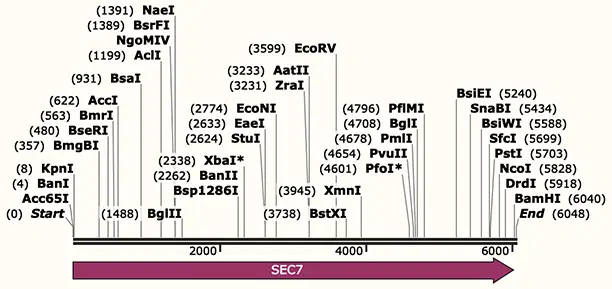
Optional Split View
A DNA or protein sequence window can be split to show two different views, or two versions of the same view.
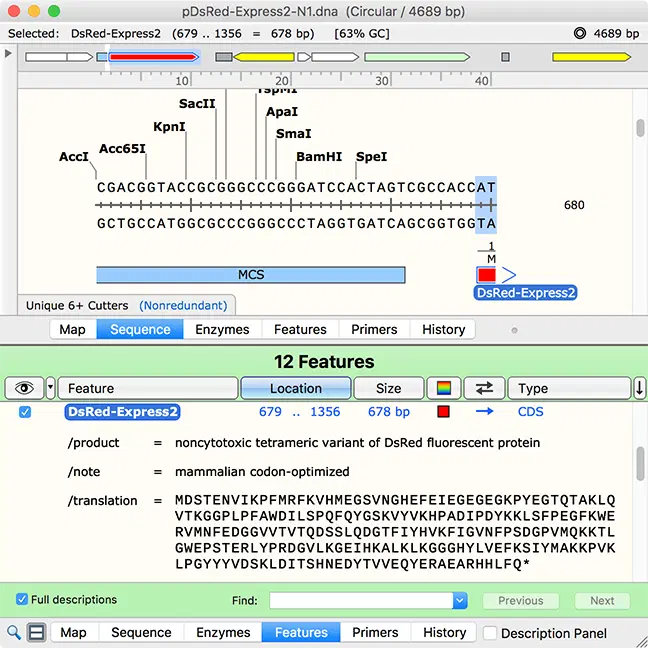
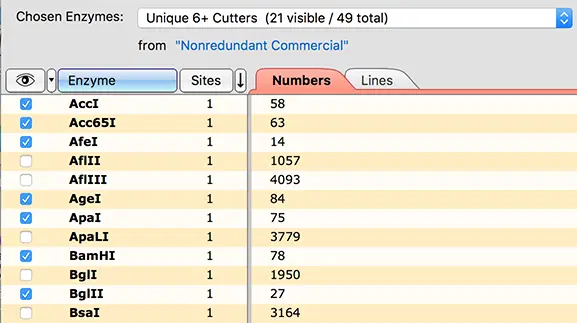
Enzyme Visibility Controls
Like features and primers, individual enzymes can now be shown or hidden using check boxes.
What's New?
Learn more about all the new functionalities in SnapGene 5:
- Better linear maps
- Optional split view
- Enzyme visibility controls
- Links between collection areas
- Flexible choice of reference type
- Adjustable threshold for feature detection
- Batch edits in collections
- Optional stripes for "A" traces
- Pre-defined "Type IIS Enzymes" set
New Coronavirus Resources
Check out our new coronavirus resource section – download genomes of common coronaviruses including SARS, MERS and COVID-19.
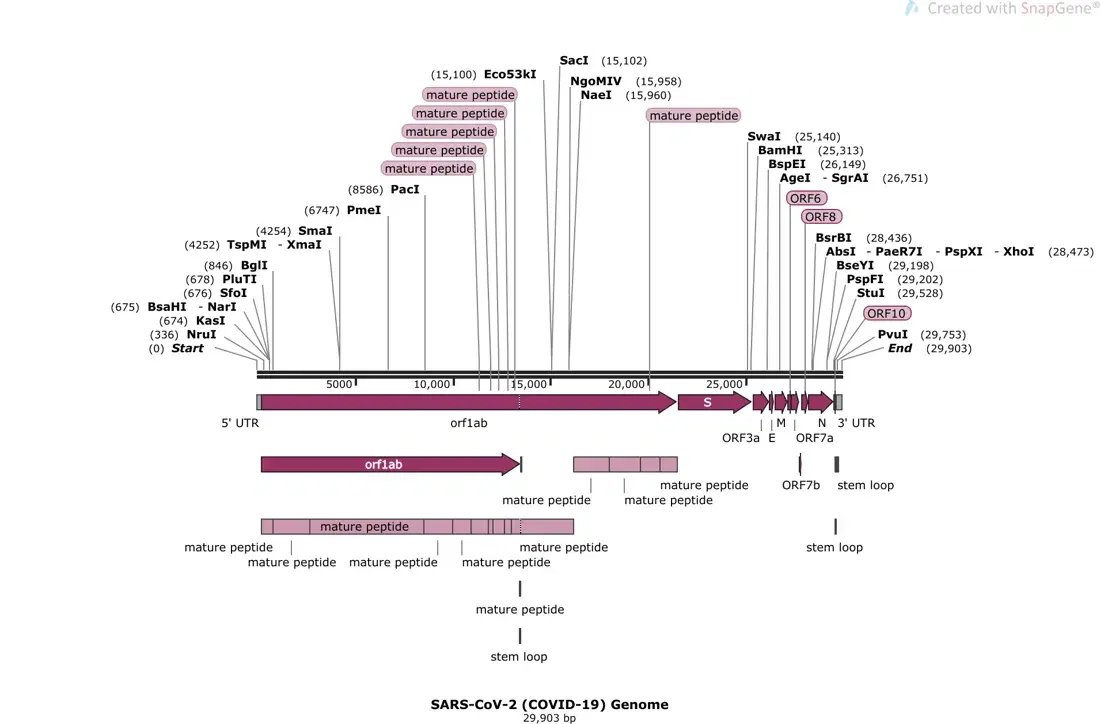
Designed by Scientists, for Scientists
SnapGene offers the fastest and easiest way to plan, visualize, and document your molecular biology procedures.
Graphstats Technologies is the Authorized official distributor of SnapGene for India and Middle East countries.